
For us to select swimmers for competitions and plan for training activities, it is essential that coaches have a good understanding of when swimmers will be attending training and be aware of any injuries, long-term leave or issues that may affect attendance. Artistic Swimming is a team sport and leading up to competitions the attendance of an individual swimmer can make a big different to what a team is able to practice.
Holidays and other activities can’t be helped, particularly on weekends, and please do register as soon as possible if you know that you or your swimmer won’t be able to attend a session.
The SportMember App makes this very easy to do. Coaches will receive notifications as soon as you register non-attendance, and you’re easily able to provide a comment that the coaches will see.
How to register non-attendance
When you open up the SportMember app, the top of the page will initially look like this:

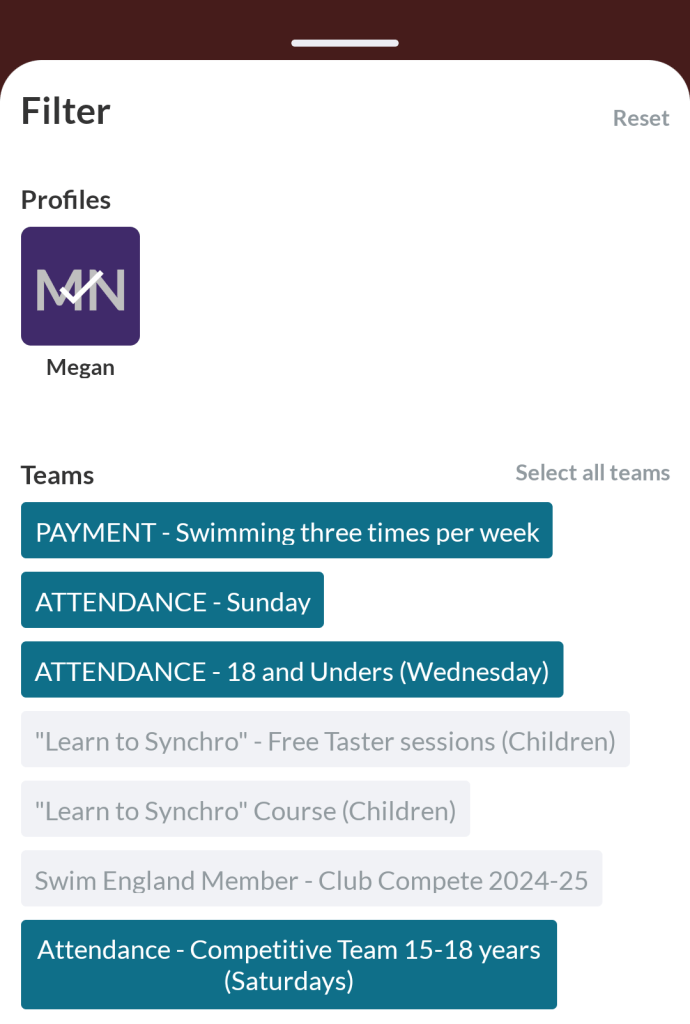
We organise swimmers into different “Attendance” teams based on when they train, and your SportMember might not be displaying them by default. If you don’t see the upcoming training session listed in “Future Activities”, then click on “Filter” and make sure that at least all the Attendance sessions are being displayed:
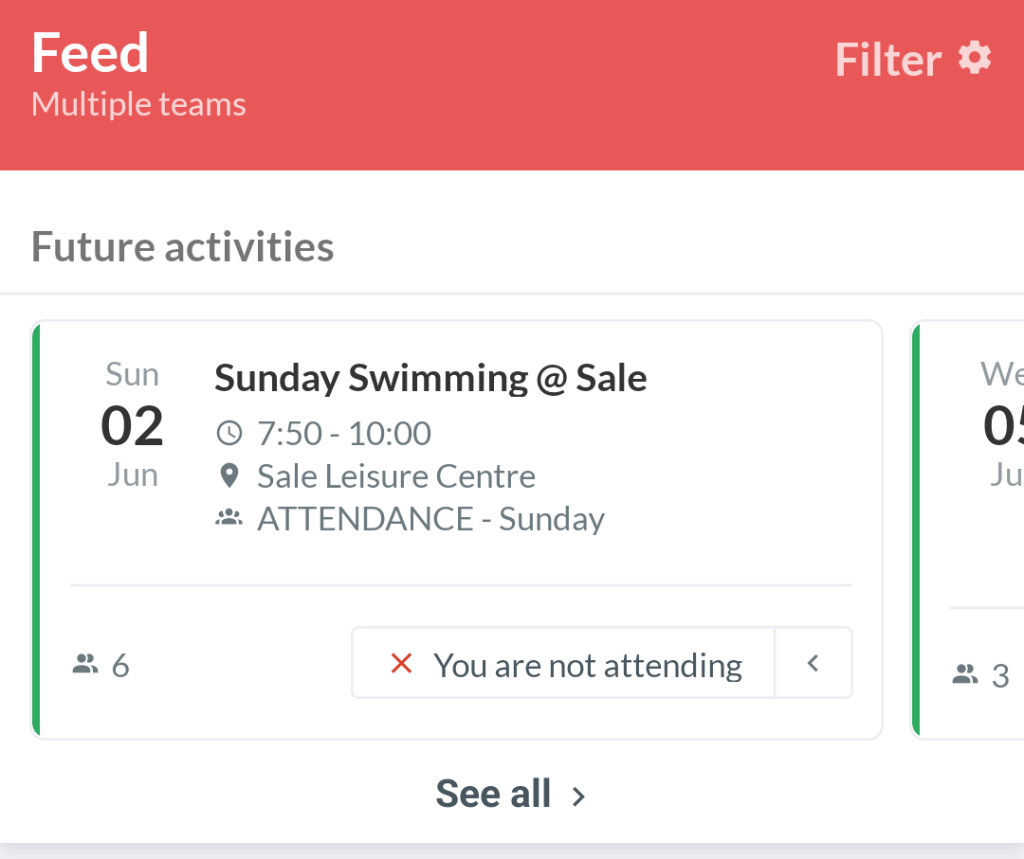
Once you’ve done this, the Future Activities list should include the relevant training sessions:
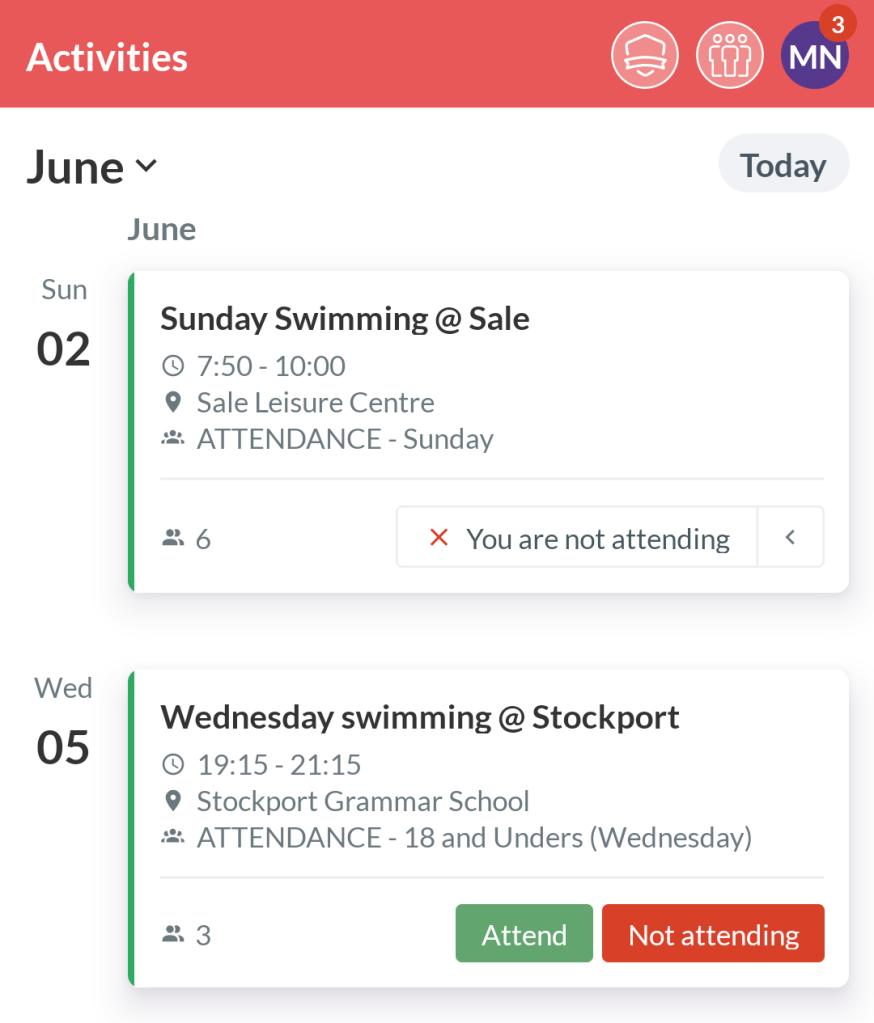
If you click on “See all”, you’ll be able to see all upcoming sessions, and easily mark those that you’re not able to attend:
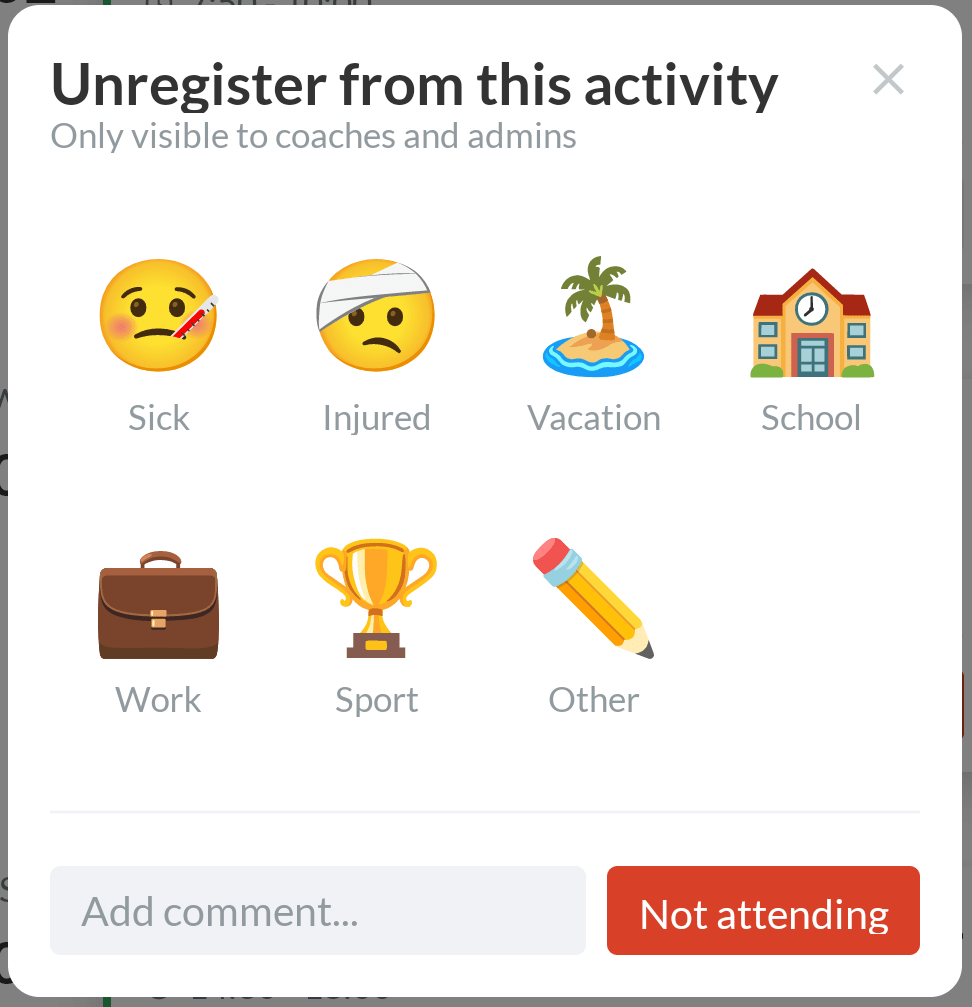
When you choose “Not attending” for a session, you have the option to select a reason and provide an additional comment to the coaches:
 Trafford Artistic Swimming Club